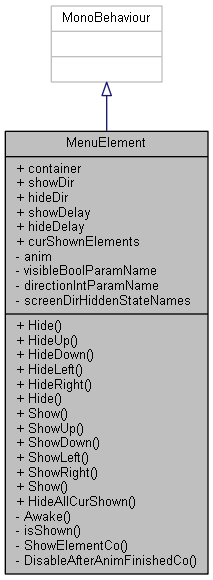
This behaviour enables a UI gameobject to be shown and hidden with an animation.
More...
|
|
void | Hide () |
| | Moves the element out of view using the screen direction setting.
|
| |
|
void | HideUp () |
| | Convenience function for direct callback, overwrites the set hide direction.
|
| |
|
void | HideDown () |
| | Convenience function for direct callback, overwrites the set hide direction.
|
| |
|
void | HideLeft () |
| | Convenience function for direct callback, overwrites the set hide direction.
|
| |
|
void | HideRight () |
| | Convenience function for direct callback, overwrites the set hide direction.
|
| |
|
void | Hide (ScreenDir toDir) |
| | Hides the given element from view towards the given direction, but only if not already hidden.
|
| |
|
void | Show () |
| | Moves the element into view using the screen direction setting.
|
| |
|
void | ShowUp () |
| | Convenience function for direct callback, overwrites the set show direction.
|
| |
|
void | ShowDown () |
| | Convenience function for direct callback, overwrites the set show direction.
|
| |
|
void | ShowLeft () |
| | Convenience function for direct callback, overwrites the set show direction.
|
| |
|
void | ShowRight () |
| | Convenience function for direct callback, overwrites the set show direction.
|
| |
| void | Show (ScreenDir fromDir) |
| | Moves the given element into view from the given direction, but only if not already shown. More...
|
| |
|
|
static void | HideAllCurShown () |
| | Hides all shown elements to their directions with their delays.
|
| |
|
|
GameObject | container |
| | The optional parent (layout) container is de-/activated as well.
|
| |
|
ScreenDir | showDir = ScreenDir.Up |
| | The direction from which this element will appear.
|
| |
|
ScreenDir | hideDir = ScreenDir.Up |
| | The direction to which this element will disappear.
|
| |
|
float | showDelay = 0.26f |
| | [s] The delay for the Show animation start.
|
| |
|
float | hideDelay = 0.00f |
| | [s] The delay for the Hide animation start.
|
| |
|
| void | Awake () |
| | Awake is called before any Start calls and only once for each object. More...
|
| |
|
bool | isShown () |
| | Gets the "visible" boolean parameter from the Animator.
|
| |
| IEnumerator | ShowElementCo (ScreenDir fromDir) |
| | Coroutine allowing to delay the show animation as specified in the settings. More...
|
| |
|
IEnumerator | DisableAfterAnimFinishedCo (ScreenDir toDir) |
| | Coroutine waiting until the Closing animation is finished to disable the object hierarchy.
|
| |
This behaviour enables a UI gameobject to be shown and hidden with an animation.
Definition at line 9 of file MenuElement.cs.
◆ Awake()
Awake is called before any Start calls and only once for each object.
Used to register a shown element if not already present.
Definition at line 55 of file MenuElement.cs.
◆ Show()
Moves the given element into view from the given direction, but only if not already shown.
Uses a Coroutine to delay the actual showing by the amount set on the element.
Definition at line 136 of file MenuElement.cs.
◆ ShowElementCo()
| IEnumerator ShowElementCo |
( |
ScreenDir |
fromDir | ) |
|
|
inlineprivate |
Coroutine allowing to delay the show animation as specified in the settings.
The element and optional parent container are activated and moved to the front.
Definition at line 160 of file MenuElement.cs.
◆ screenDirHiddenStateNames
| Dictionary<ScreenDir, string> screenDirHiddenStateNames |
|
staticprivate |
Initial value:
Dictionary of Animator State names for each animation direction.
Definition at line 32 of file MenuElement.cs.
The documentation for this class was generated from the following file:
- C:/Users/Toni/Documents/Programming/Unity/BomberUnits/Assets/Scripts/UI/MenuSystem/MenuElement.cs

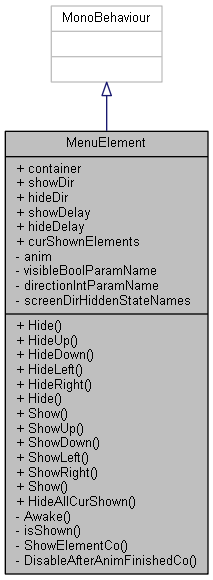
 Inheritance diagram for MenuElement:
 1.8.13